
SYSTEM SUPPORT

setup & Configuration
-
Crimping and testing Ethernet cables
-
Connecting computers to a local area network (LAN)
-
Sharing files and printers across the network
-
Configuring IP addresses and verifying connectivity
2. Software Installation & Updates
-
Installing Microsoft Office or similar productivity suites
-
Updating operating systems and applications
-
Configuring system settings for optimal performance
-
Documenting installation steps and verifying functionality
3. System Support & Maintenance
-
Identifying and documenting computer specifications (CPU speed, RAM, hard disk capacity)
-
Checking device performance and system health
-
Ensuring firewall and network protection are enabled
-
Performing OS updates and patches for security
4. Security & Antivirus Management
-
Installing antivirus software (e.g., AVG)
-
Running full system scans and generating reports
-
Saving and printing scan results for documentation
-
Ensuring malware protection is active and updated
5. Hardware & Tools Handling
-
Using tools like cable testers, crimpers, and screwdrivers safely
-
Assembling and disassembling computer system units
-
Creating diagrams of system components (CPU, RAM, motherboard, storage)
-
Writing step-by-step procedures for tool usage with safety precautions
6. Documentation & Reporting
-
Creating folders and saving screenshots of tasks performed
-
Writing short reports on system specifications and maintenance activities
-
Refine Search

iPod Classic
More room to move. With 80GB or 160GB of storage and up to 40 hours of battery life, the new..
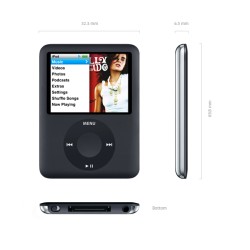
iPod Nano
Video in your pocket. Its the small iPod with one very big idea: video. The worlds most popula..

iPod Shuffle
Born to be worn. Clip on the worlds most wearable music player and take up to 240 songs with y..

iPod Touch
Revolutionary multi-touch interface. iPod touch features the same multi-touch screen technology as..
